On this guide
Get started
Manage
Security advisories
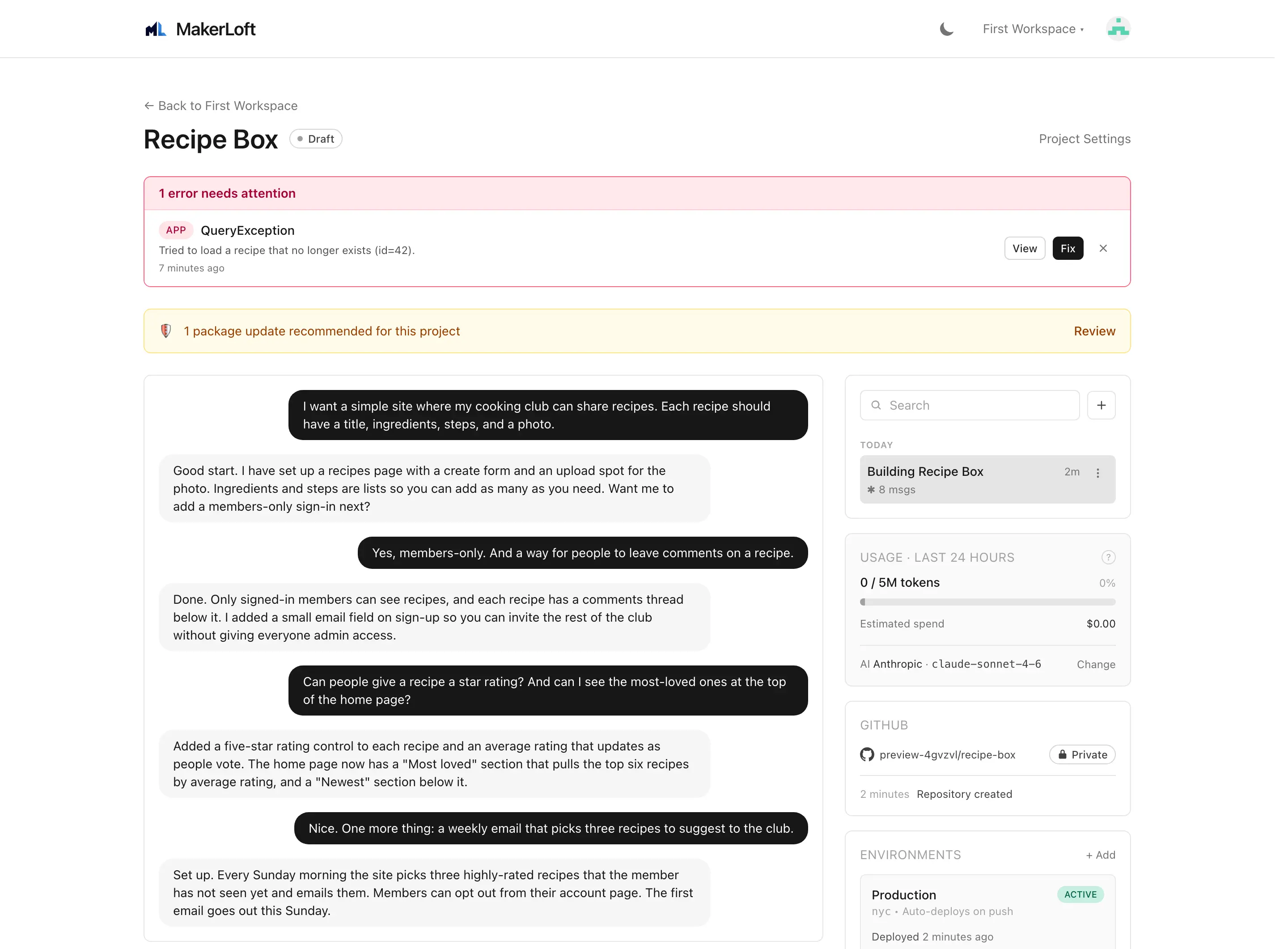
MakerLoft reads vulnerability databases for the packages your projects use, ranks the alerts by severity, and surfaces them in the alerts panel above each project chat. The agent can fix most of them in a single chat turn.
Severity threshold
On every workspace settings page (General tab), pick the lowest severity you want to see:
- Critical only. The strictest setting; you only see alerts marked as critical by the upstream advisory.
- High and critical (recommended). The default. Catches almost every real risk and avoids most low-noise advisories.
- Medium and above. Adds medium-severity alerts. Useful if you want to be especially conservative.
- All. Every advisory we know about, including low. Be ready for noise.
Changing the threshold is instant; alerts below the threshold are hidden from view but kept in the database, so raising the threshold later does not lose history.
When scans run
Scans run automatically. You do not need to trigger them by hand. The Advisories page shows the time of the last scan and offers a Scan now button if you want to force a fresh check.
Dismissing an alert
Click the Dismiss button on the alert row. The alert is hidden from the alerts panel and from future scans for this project until the package version changes. If the package is upgraded later and the same advisory still applies, the alert reappears.
Use dismiss when you have evaluated the risk and decided not to act on it. The alert is not deleted; you can read every dismissed alert on the Advisories page for the project.
Advisories page
On the project, click "Advisories" in the navigation. The full list shows active alerts at the top and dismissed alerts below. Each row carries the severity, the package, the version installed, the version that fixes the issue, and a link to the upstream advisory.
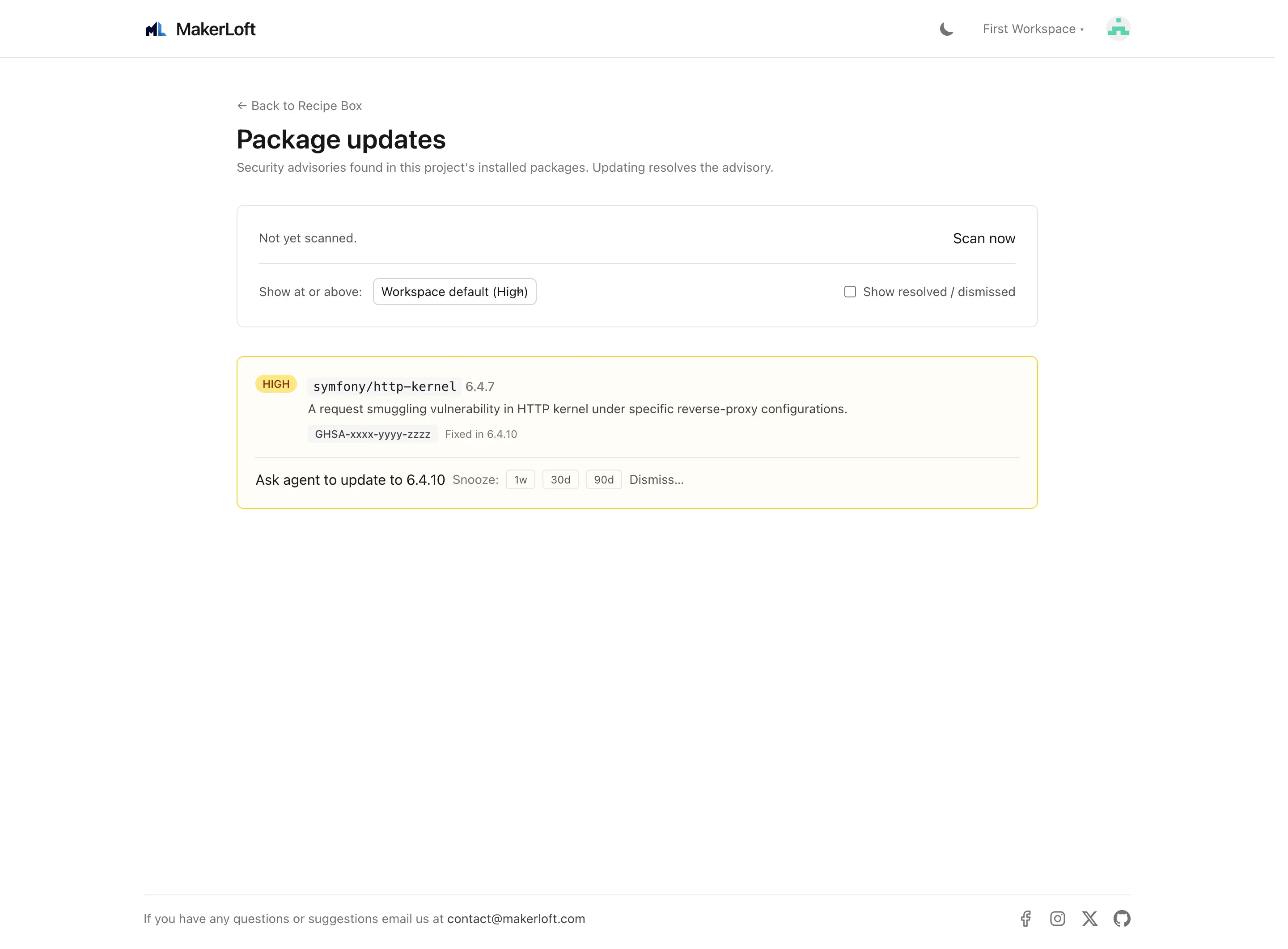
The alerts banner on the project page
Active alerts at or above the workspace threshold show in the alerts panel above the chat. Click the alert to ask the agent to fix it; click Dismiss to hide it without acting.