On this guide
Get started
Manage
AI providers
MakerLoft drives every chat turn through an AI provider you connect. You bring the API key; we never store secrets in plain text. Every workspace can hold multiple credentials and pick a default.
Adding a credential
Open Workspace settings, switch to the AI tab, and click "Add credential". Pick a provider, paste your key, give it a label so you can spot it later, and save. We try the key against the provider while you wait so a typo never sits silently.
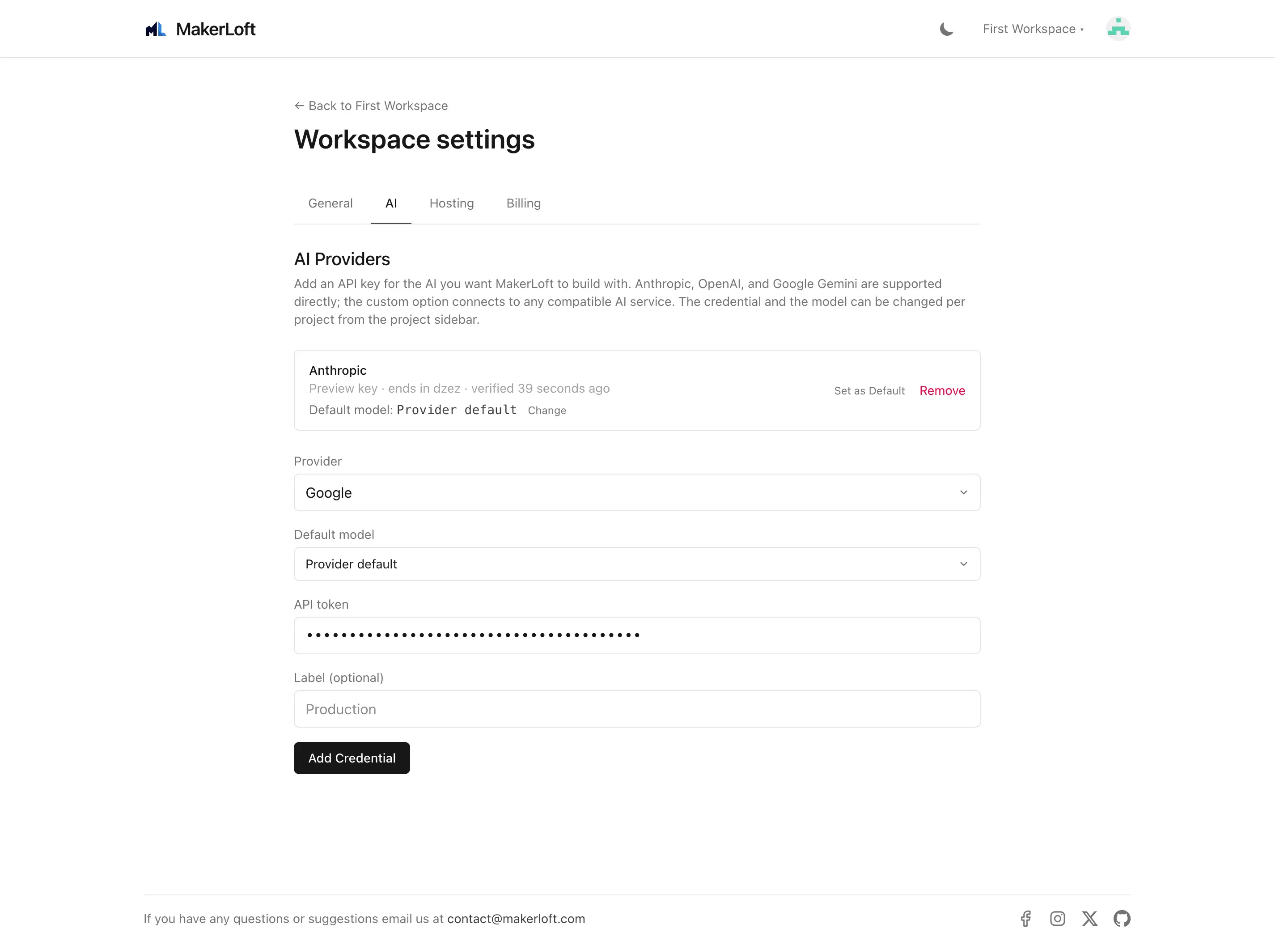
Anthropic (Claude)
Paste a key starting with "sk-ant-". Get one from console.anthropic.com. Anthropic supports prompt caching, which on a long chat saves both money and round-trip time; we use it automatically.
Default model: the latest Sonnet. Pick a different model in the project chat sidebar per project.
OpenAI
Paste a key starting with "sk-". Get one from platform.openai.com. We use OpenAI prompt caching where the API exposes it.
Google (Gemini)
Paste a Google AI Studio key. The label is "Google" but the API endpoint is the public Gemini API, not Vertex.
Custom (OpenAI-compatible)
Use this for any provider that exposes an OpenAI-compatible API: a self-hosted model, an OpenRouter account, a local LM Studio server reachable from the public internet, or any router. You will need to provide both the API key and the base URL of the endpoint.
Default credential and model
Each workspace has one default credential. Every project in the workspace inherits it; the project chat sidebar lets you override per project. The model picker carries the provider default unless you pick something else.
Switching providers mid-project is supported. The chat history stays; only the next turn uses the new provider.
How keys are stored
Every API key is encrypted with the workspace key on save. We never log keys, never write them to error trackers, and never serialise them into background jobs. If you delete a credential, the encrypted value is removed and can no longer be used.