On this guide
Get started
Manage
Billing and usage
How trials work, how to compare plans, the checkout flow, and what every number on the usage page means.
Trial
Every brand-new account gets a seven-day trial on its first personal workspace. You can chat with the agent, deploy projects, and use every paid feature during the trial.
A banner above the dashboard shows the days remaining. When the trial ends, you can either pick a plan or keep the workspace read-only (you keep your projects, you cannot run new chat turns or deploy until you upgrade).
Plans
Two plans:
- Personal. One workspace, one user. Good for most solo projects.
- Team. Multiple users, multiple workspaces, member roles. Per-seat pricing. The right fit for two or more people working on the same projects.
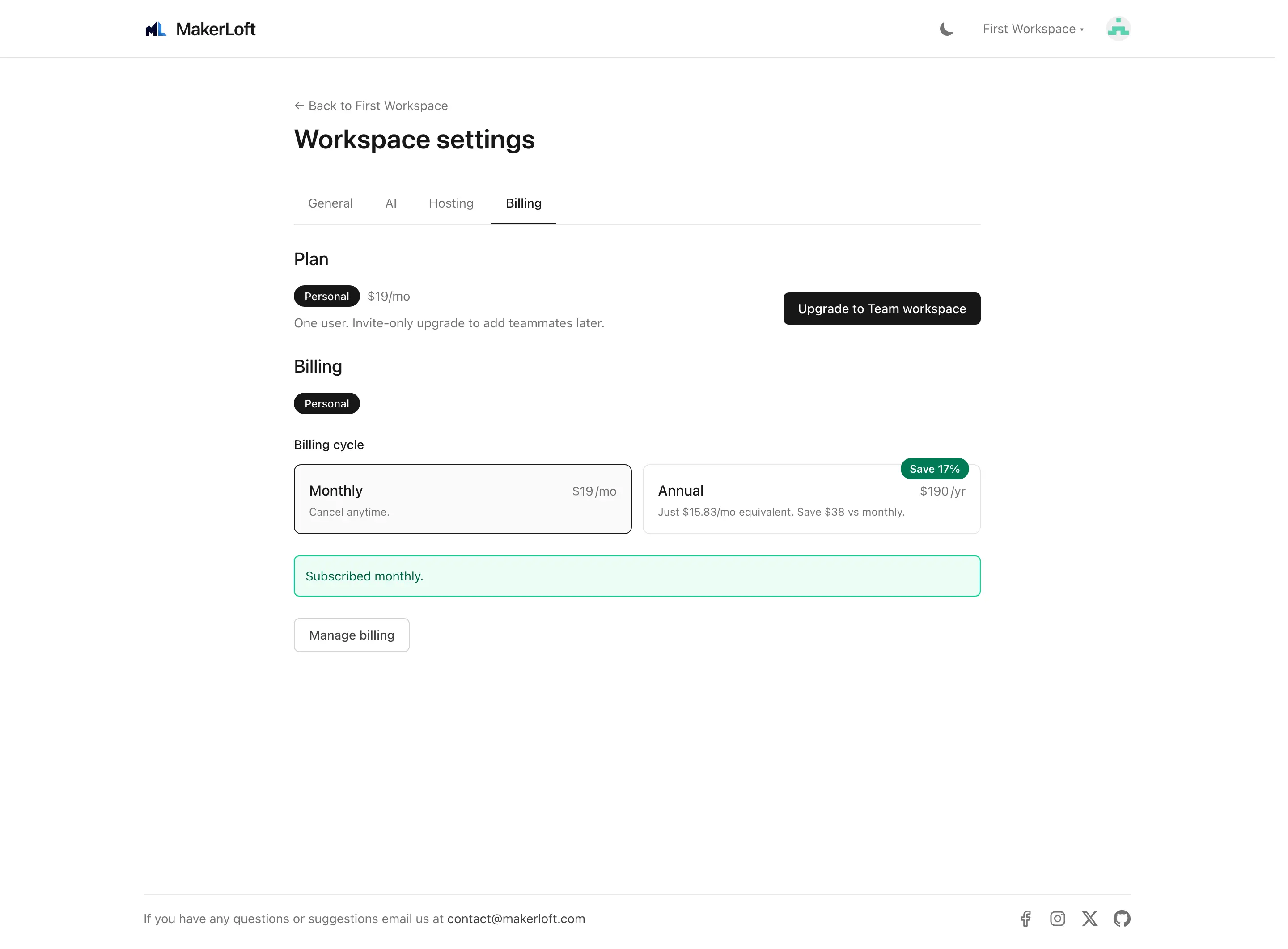
Both plans are billed monthly or annually. Annual gets a small discount; switch between them on the workspace settings Billing tab at any time. The change takes effect at the next billing cycle.
Static-site projects on GitHub Pages add nothing to your bill - GitHub hosts them free on your account. Only full-stack projects on DigitalOcean carry a hosting cost.
Checkout
Click "Upgrade" on the Billing tab to start a checkout. We use a hosted payment page; you enter your card on a secure form, and once the payment succeeds you land back on the workspace with a paid subscription attached.
Your card details are held by our payment provider, never by MakerLoft.
Usage page
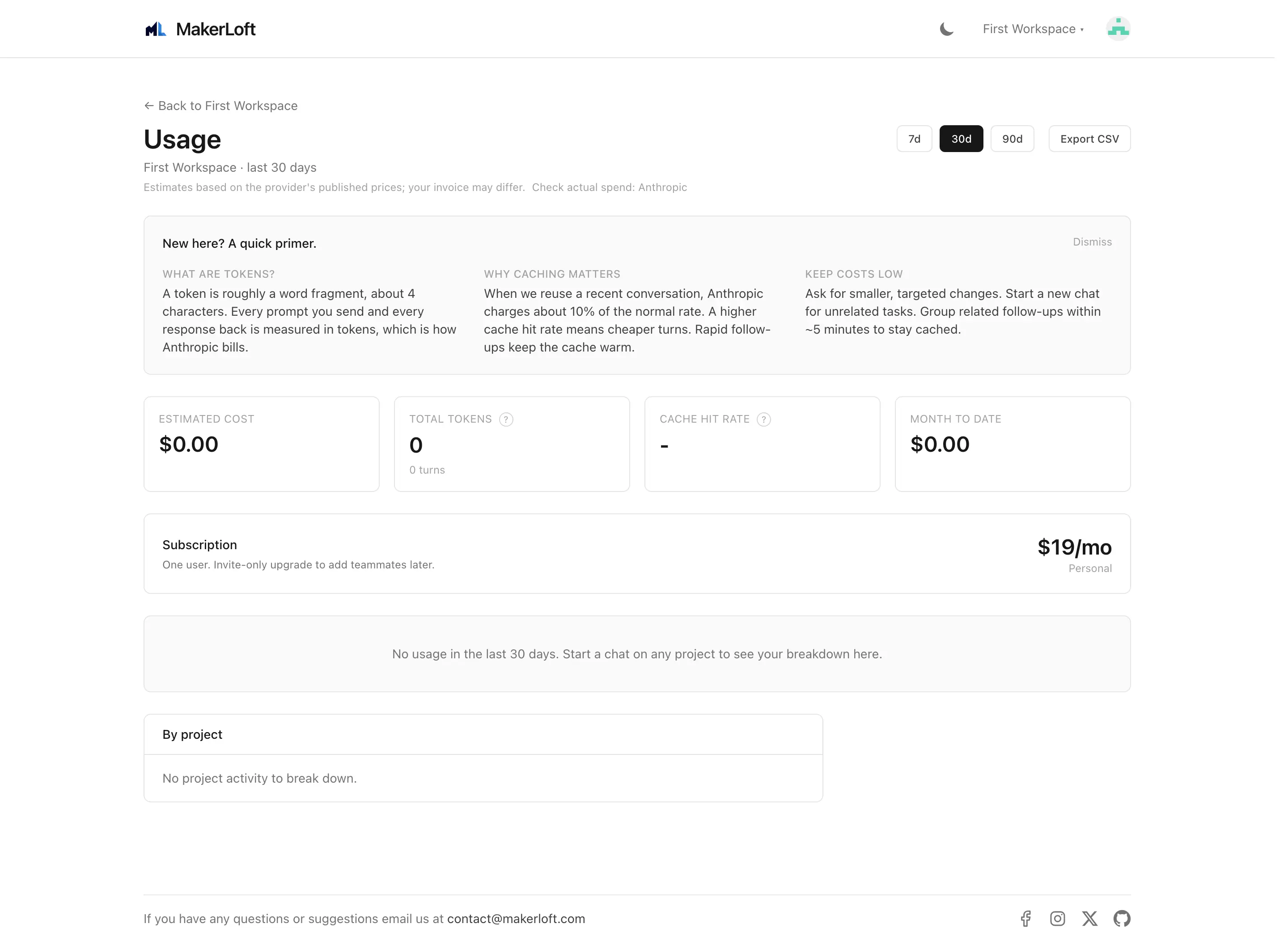
Open the workspace and click "Usage" in the side navigation. The page shows token spend, the cache savings on top, and a per-project breakdown.
- Period selector. 7, 30, or 90 days. The default is 30 days.
- Estimated cost. The total in USD across the period. We compute it from token counts using the public price each provider lists.
- Tokens. The total number of tokens (the unit AI providers bill by) consumed.
- Cache hit. The percentage of input tokens that were re-used from a previous turn at a much lower price. A higher cache hit means the same conversation costs less.
- Saved. The estimate of dollars saved by cache hits over the same window.
- Per-project breakdown. The same totals split by project so you can see which project is using how much.
- CSV export. A button at the bottom downloads the breakdown as a CSV.
Glossary
Terms used on the usage page:
- Token
- The unit AI providers bill by. Roughly four characters of text per token; the cost depends on the provider and the model.
- Cache hit
- A previous turn in the same conversation has already been processed; the provider re-uses the work at a lower price. Long conversations get more cache hits as they grow.
- Context
- The text the model reads at the start of a turn, including your project rules and the chat history. The bigger the context, the more input tokens.
Cost projection
Below the totals, the page shows a projected cost for the rest of the calendar month based on your current pace. This is a simple linear estimate and gets more accurate as the month goes on.